The Best App to Monitor your Child's Phone
Parents will See Absolutely Everything their Children See and Do on their Phones.

Any parental control over your child's smartphone use is impossible without reliable and comprehensive monitoring. WhatTheySee app surpasses any other parental control or monitoring app in this regard, because no other app shows parents everything, absolutely everything, that their children see on their phone screens. Our app monitors child’s phone activity in a simple but very effective way. Every minute a screenshot of a child’s phone is recorded, encrypted and sent to a parent. As a result, thanks to this unique parental control app, you will see exactly What They See. You will see it on your own smartphone. You will finally find out what your children are REALLY doing on their phones.
Accurate and Comprehensive Information Essential for Parental Control
If parents are able to see absolutely everything their children see on their phone screens, they will be able to use this accurate and comprehensive information to assess current and potential dangers to their children related to smartphone use. It will also show whether existing parental controls are effective in restricting access to unwanted content and dangerous online contacts (very often, children find ways to bypass parental controls without parents ever noticing). Accurate and reliable monitoring will greatly help parents make the right decisions regarding parental control mesures.
Start Monitoring your Child´s Phone Now. No Registration. Free Trial.
No subscription or registration required, just start using the app. One week free trial is more than enough to find out if this unique parental control tool is for you. If you wish to continue to use it after the trial period, the cost could be as low as 50 cents per month. No subscription, only one-off payments.
How it Works
WhatTheySee app (installed on your phone) obtains from its sister app (installed on your child’s device) screenshots of your child’s device taken every minute and immediately encrypted. Using WhatTheySee app you can access these screenshots from your phone at any time even without an internet connection.
Easy to Use
Step 1. Install the sister app KProtect from PLAY STORE on your child’s smartphone. Start the app and make a note of its license number and key. After that close the app, it will work in the background. Step 2. Click on Add Phone button on the main screen of What They See app, enter the license number and key obtained in step 1. Enter the name you wish to give to the device from which you will be receiving screenshots, for example, Sam’s phone. You can receive screenshots from several devices. Step 3. View screenshots received from your child’s phone by tap on View Latest Screenshots button or by tap on the date in calendar. If you added several phones, first choose a desired phone from the drop down list on the top of main screen.
WhatTheySee App does NOT Collect Personal Data
WhatTheySee app and its sister app KProtect never ask for any personal data like phone number or email address. These apps do NOT access ANY of the information stored on your smartphone (contacts, photos, location, docs, etc.) and they do NOT record any of your activities (web browsing, movement, calls etc.). You can easily verify this. Just open app info ( long press on the app icon and tap on app info). You will see that both apps do NOT require ANY permissions to access your private data.
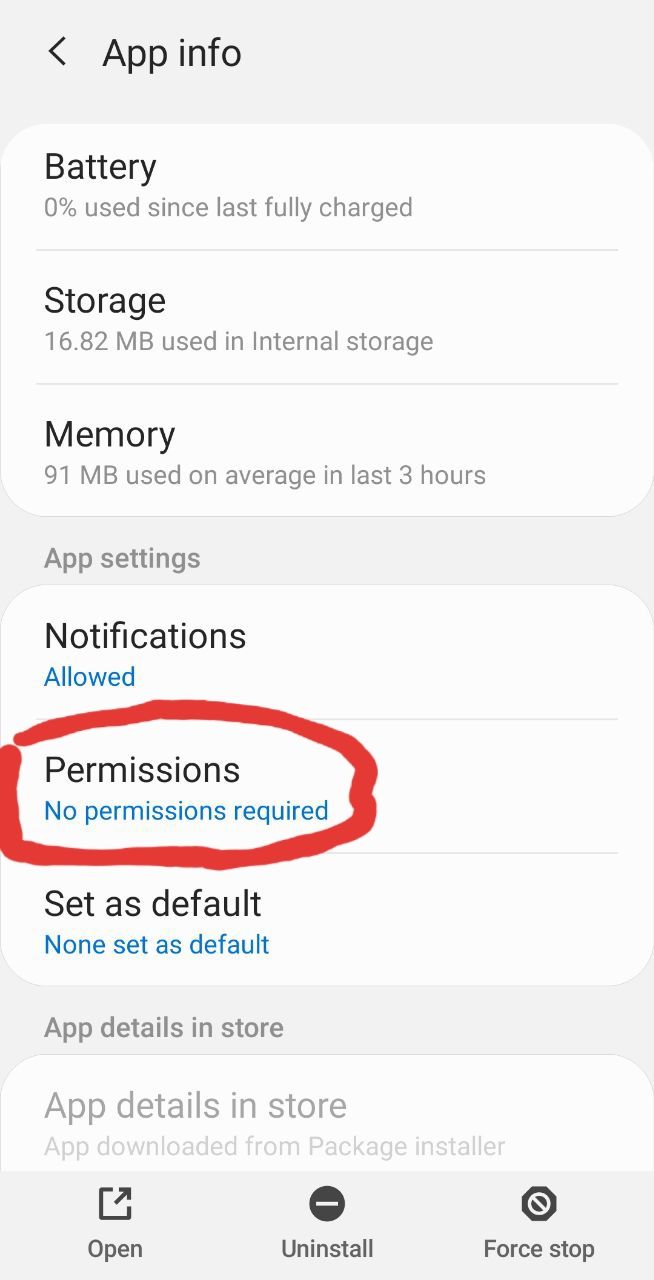
Tap on Permissions to see more details. You will see the screen similar to one below.
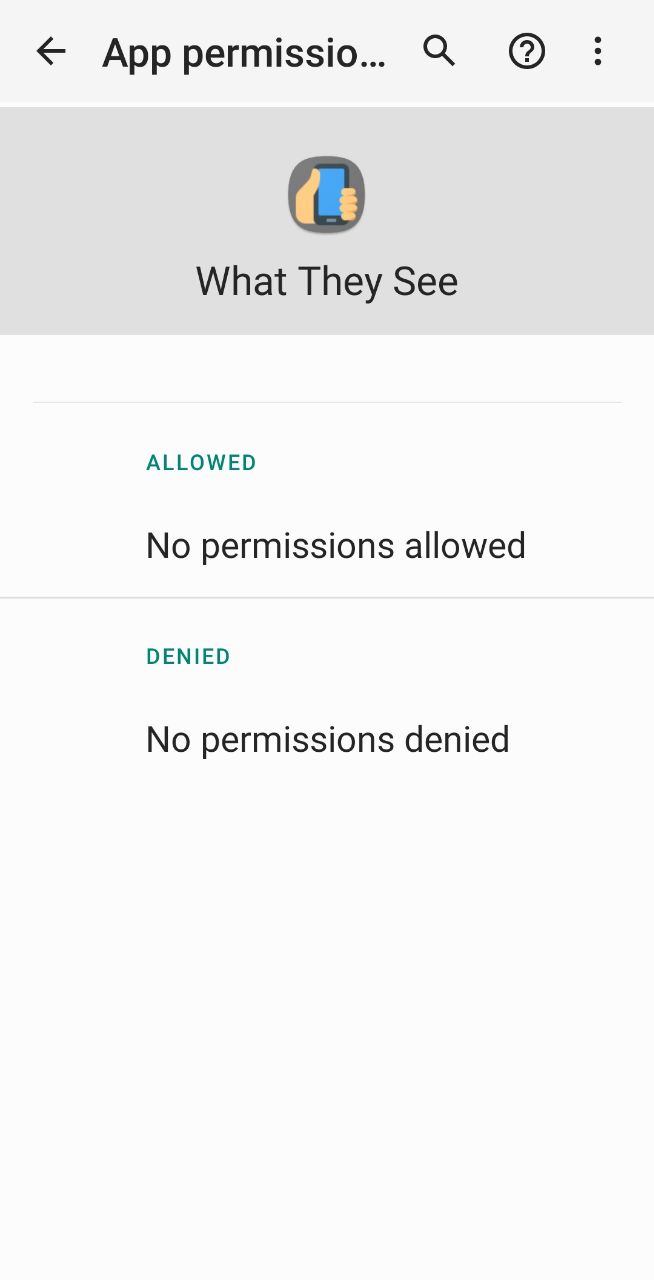
Please DO compare the above with the permissions required by Google Maps app. Maps require permission not only to access your location, but also your phone storage which means access to any of your private files (photos, videos, docs, audio, anything). It also wants to access your physical activity , contacts, camera and microphone.
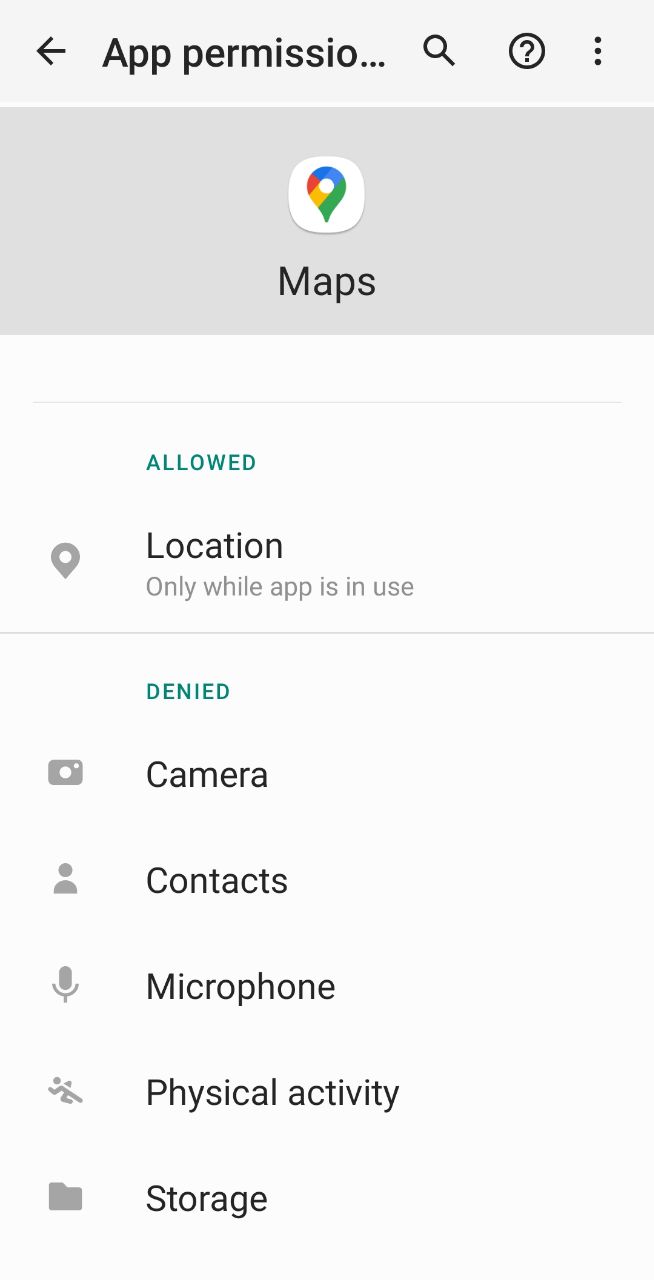
By contrast, WhatTheySee app and its sister KProtect app do NOT ask for any permissions!
Only You Can See Your Child’s Phone Screenshots
As soon as the app takes screenshot it encrypts it, so nobody can see it. Screenshots are transferred to the parent's phone as encrypted files, furthermore they are transferred via an encrypted connection. Even on the parent's phone they are stored in encrypted format, they are only decrypted when viewed via WhatTheySee app and only just for the moment of viewing. The encryption key is randomly generated by the app and never leaves it, thus even developers cannot see the screenshots.
Battery and Data Usage are Negligible
The decrease of battery life is hardly noticeable. As for data, it is about 4 megabytes per 100 screenshots. Depending on the intensity of smartphone use 50 to 400 screenshots per day could be transferred resulting in data consumption of 2 to 16 megabytes per day, it is less than consumes 1 minute of Full HD video.
Unlimited Number of Monitored Phones from $0.5 per Month
$0.99 for 31 days $5.99 for 365 days (50 cents per month) This price includes unlimited number of monitored children devices. No subscription, only one off payments. So you will not, as happened to most of us, forget to cancel and as a result pay for something you did not use. The above prices are for the US only. In other countries prices are slightly different. INSTALL FROM GOOGLE PLAY